Job details on the project
Store the project name, client information, address, optional GPS coordinates, and status.
Field documentation for general contractors — not a bid platform.
Keep project photos, daily site notes, drawings, tasks, and team activity connected to the right job. Construkt helps general contractors maintain clear field records across their active projects.
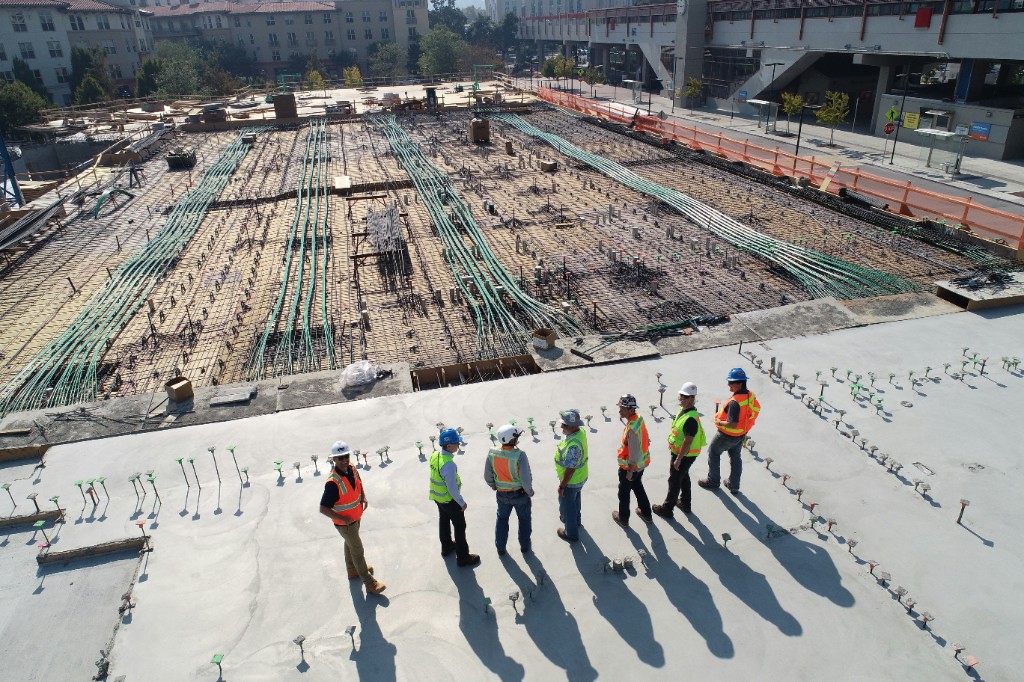
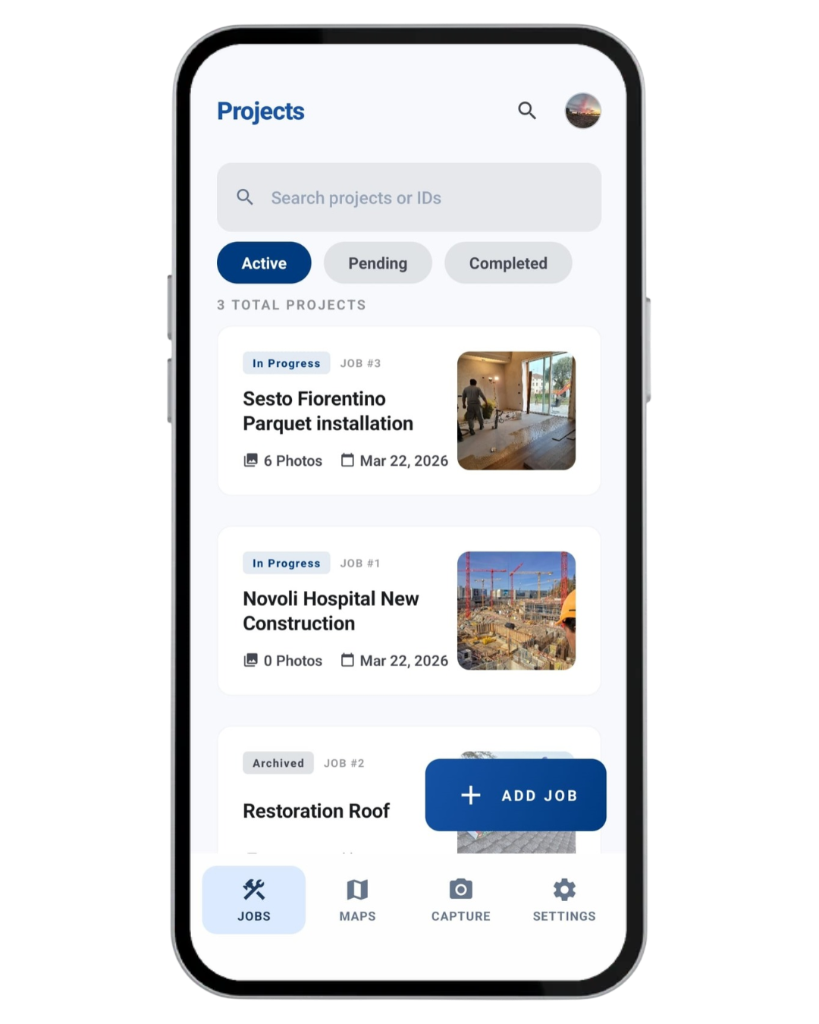
Open a Construkt project for each active jobsite. Photos, logs, tasks, drawings, and the people on that job stay on that record, so a school renovation does not mix with a retail fit-out.
Store the project name, client information, address, optional GPS coordinates, and status.
Keep photos, daily logs, tasks, documents, and team members on the same jobsite workspace.
Run more than one active project, subject to your plan. Enterprise lists unlimited active projects; Team lists 22.
Review projects by status instead of hunting through chats for which site a photo belongs to.
Construkt documents the job for the owner of the record. It does not run the bid, the budget, or the contract.

Site supervisors can photograph conditions, in-progress work, observed issues, and completed results. Shots stay on that project’s timeline, grouped by date — not in a mixed camera roll.
When location information is available, photos can store coordinates and capture time with the shot.
Add a note and use existing labels such as Issue, To check, In progress, or Completed.
Review a week of site photos on that job without assembling a slideshow from three phones.
Construkt does not calculate progress percentages, run image analysis, or pin photos on the company map. How Construkt files site photos
Each project has one daily log per calendar day. A supervisor can close the day with what was completed, what stopped work, and what the office should see tomorrow.
Write that slab prep finished on the east wing, or that framing started on level two.
Record delays, questions, and site notes in free text — not as weather codes or delay classifications.
Include attendance-based crew hours and optional cost entries. This supports the day’s record; it is not job costing or payroll.
A daily log is not a contractual owner daily report and does not create a standalone one-day PDF. Project reports cover a selected period.
Give the right people access to each jobsite, name a project lead, assign follow-ups, and put planning events on the job calendar.
Assign company members to a job and designate a project lead. Roles follow the company roster — this is not a subcontractor portal.
Create a title and optional description, assign an eligible member, set an optional due date, and track Pending, In Progress, or Completed.
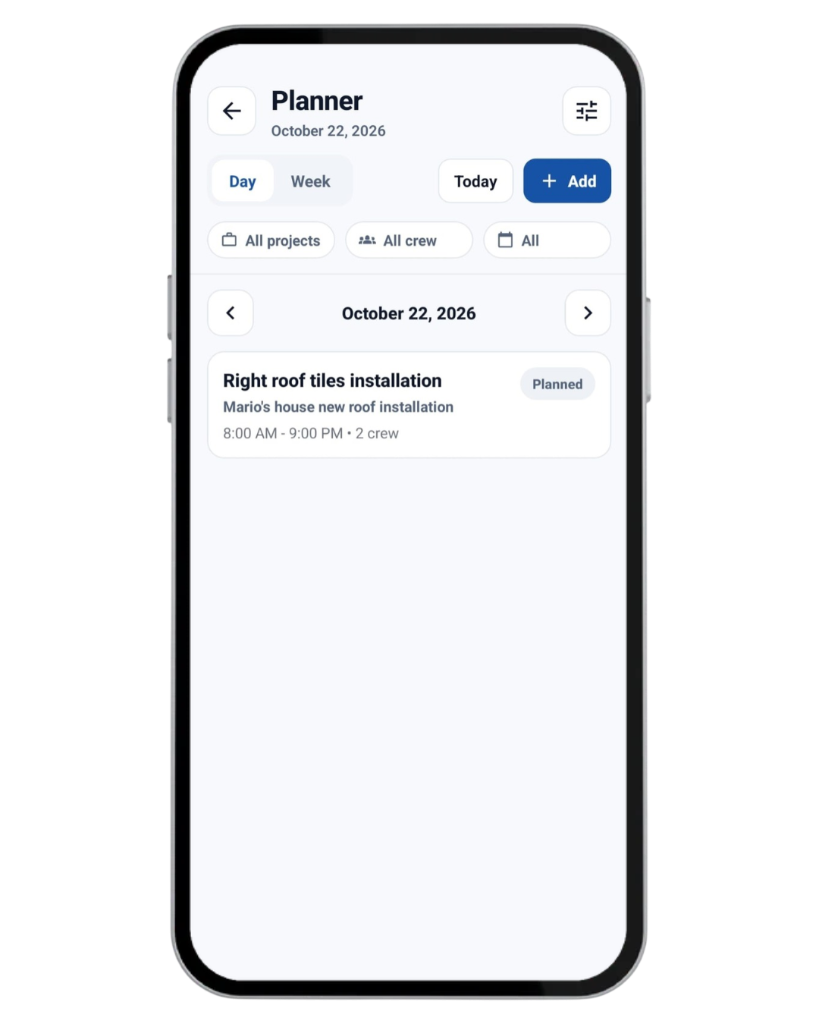
Group people into crews and add planning events on the project calendar. Construkt does not optimize a master schedule.
Photo proof is not required to complete a construction project task. Put an area in the task title or description if you need it — there is no dedicated punch-list module. Project tasks · Team and crews
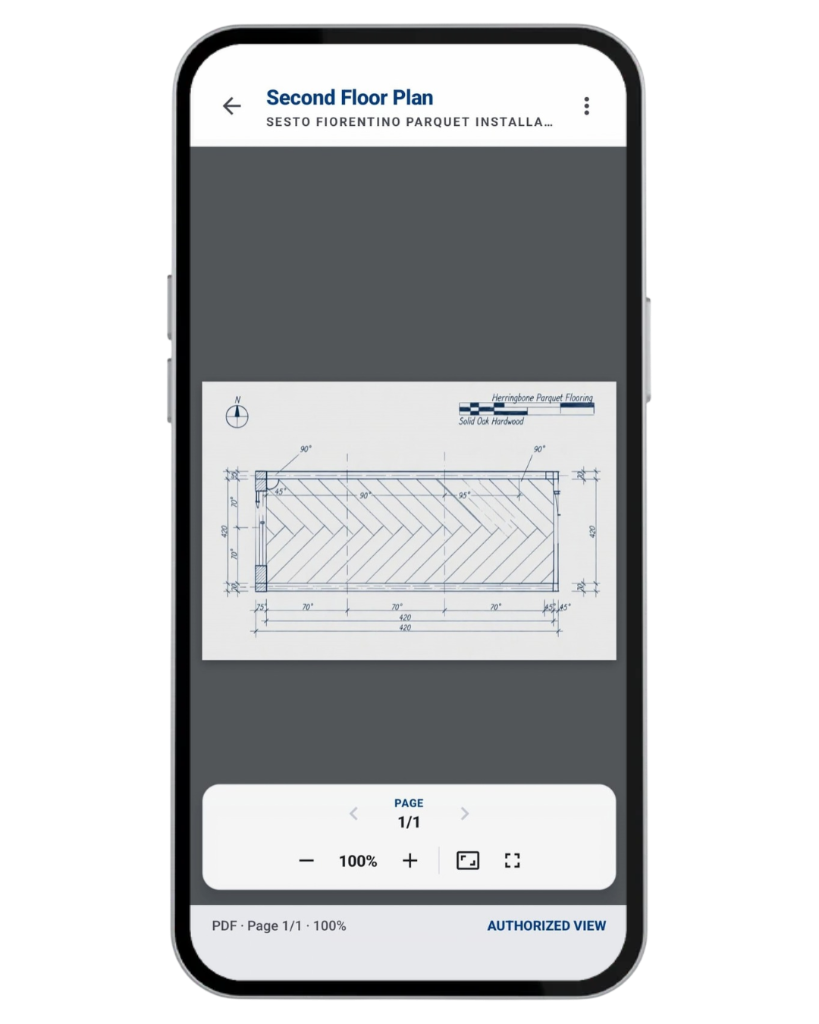
Store construction drawings, installation specifications, and other supported PDFs or images on the project so supervisors can open them on site.
Keep supported drawings and reference files with the jobsite they belong to.
Document materials with a name, notes, photos, tags, and quality-check status. This is site documentation, not purchasing.
Construkt does not provide drawing markup, revision comparison, BIM, RFIs, or submittal management. Project documents · Construction documentation
Generate a project-period PDF for internal reviews, job meetings, or sharing documented progress with a client. Include supported photos, timestamps, GPS data, tasks, materials, and daily logs according to the export settings.
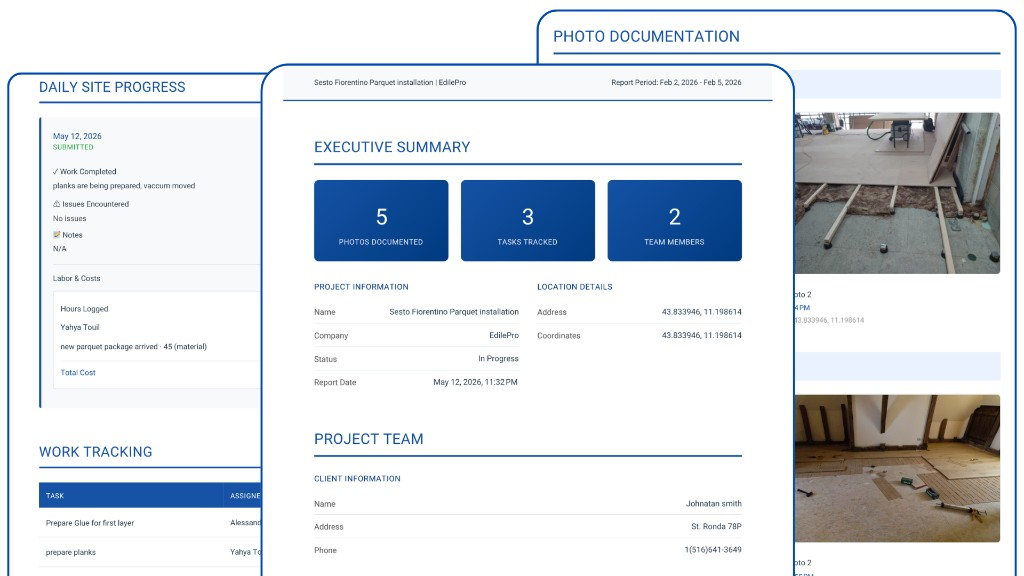
The PDF covers the period and items you select. It is not a standalone one-day owner report or a payment application.
Walk through documented photos and notes with stakeholders without assembling a separate slide deck.
Standard PDF export is on Free and Solo. Advanced PDF exports are listed on Team and Enterprise. They are not a legal-admissibility guarantee.
Construkt PDFs do not replace contractual owner reports, insurance files, or accounting documents. Construction reporting
The mobile Job Locations map shows projects that have saved GPS coordinates. Search or filter pins, open the job, and get directions in Google Maps. The map shows job locations, not worker positions or every project photo.
Use the map to reach the next site. The project record still holds the photos, logs, and files. Construction jobsite map
Team and Enterprise add oversight around the same field record. These tools support internal accountability. They are not construction contract administration.
Supported actions and changes can appear in the project’s activity history on the job itself.
The pricing comparison lists audit logs on Team and Enterprise, not on Free or Solo.
Supported job, photo, material, and user actions can require owner or admin review. These are not RFI, submittal, or change-order workflows.
Completed tasks can contribute to company-level activity metrics where analytics is included. Construkt does not forecast cost, schedule variance, or earned value.
Configurable approval rules are documented in more detail on the workflows page. See current plan limits on pricing. Construkt does not offer unlimited users or photos. Workflows and approvals · Current prices and plan limits
This is an illustrative example, not a real customer story.
Open separate Construkt projects so photos and notes do not mix across jobsites.
Give each job the people who should see it, and name a project lead.
Check the timeline and that day’s log before the next site meeting.
Assign follow-ups, optional due dates, and statuses on the project.
Store supported PDFs and images on the project workspace.
Open pins with saved GPS coordinates and get directions from the mobile map.
Export a period report for progress discussions with the photos and records you choose.
This example shows how a general contractor can use Construkt’s existing field tools. It is not a case study.
Construkt is field documentation software for small-to-mid-sized general contractors. It does not replace a construction ERP.
Yes. Create a project for each jobsite and keep photos, daily logs, tasks, drawings, and reports on that record.
No. Construkt is field documentation and operations software. It does not replace Procore, Buildertrend, Bluebeam, or a construction ERP.
Yes. Each jobsite is a separate project. Team supports up to 22 active projects. Enterprise lists unlimited active projects. Users and photos remain limited.
Yes. Photos filed to a project appear on that job’s timeline, grouped by date, with GPS and timestamps when available.
Yes. Each project has one daily log per calendar day for work completed, issues, notes, attendance-based hours, and optional cost entries.
Yes. Create project tasks, assign eligible members, set optional due dates, and track Pending, In Progress, or Completed. Photo proof is not required to complete a construction project task.
Yes. Store supported PDFs and images on the project and open them on site. Construkt does not mark up drawings, compare revisions, or manage RFIs.
Yes. Export a project-period PDF with supported photos, tasks, materials, and daily logs. Construkt does not generate a standalone one-day owner report or a pay application.
The pricing comparison lists audit logs, workflow approvals, and Advanced PDF exports on Team and Enterprise, not on Free or Solo.
No. Construkt does not provide RFI routing, submittal logs, change orders, or subcontractor portals.
No. Construkt does not estimate, invoice, run payroll, manage SOV or retainage, or produce payment applications.
Team lists up to 8 users. Enterprise lists up to 15 users. Construkt does not offer unlimited seats. See the pricing page for current limits.
Explore Construkt if you need field photos, notes, drawings, and reports on the right job — without buying an enterprise construction ERP.
Download App