Project information
Store the job name, client details, address, and optional saved GPS coordinates on the project.
Jobsite documentation for small crews.
Your jobs, photos, notes, and reports in one place. Keep site documentation organized without turning every project into paperwork.

Create a Construkt project for each customer or site. Job details, photos, tasks, documents, and daily records stay on that project instead of mixing across a camera roll or chat thread.
Store the job name, client details, address, and optional saved GPS coordinates on the project.
Keep site photos and supported PDFs or images with the job they belong to.
Assign project tasks and write the day’s work, issues, and notes on that same record.
Run more than one project at a time, subject to your plan’s active-project limit.
Construkt is a jobsite documentation app, not a back-office system for estimating, invoicing, or accounting.
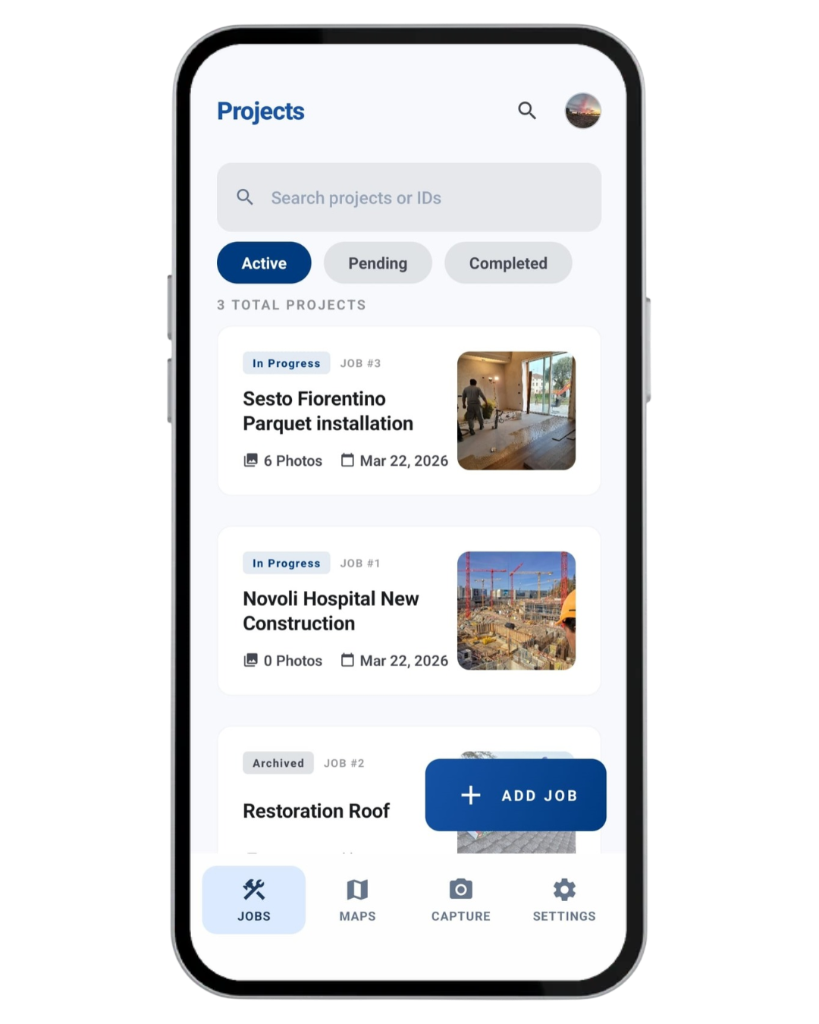

Capture site conditions, work in progress, issues, and completed results from your phone. Photos stay on the project so you can show what happened without sorting a mixed camera roll.
When location information is available, photos can store coordinates and capture time with the shot.
Add a note and use existing labels such as Issue, To check, In progress, or Completed.
Project photos appear in a timeline grouped by date, so a week of work is easier to review later.
Construkt does not detect defects automatically, pin photos on the jobsite map, or use specialized inspection templates. How Construkt files site photos
Each project has one daily log per calendar day. Use it at the end of the workday for what was completed, what went wrong, and anything the office — or tomorrow’s you — should remember.
Write what the crew actually finished that day, in plain language.
Record delays, questions, and site notes so they stay with the job.
Include attendance-based labor hours and optional cost entries on that day’s log. This is a supporting record, not job costing or payroll.
A daily log does not create a standalone one-day PDF. Project reports cover a selected period and the records you include.
Give a few teammates access to the project, set a lead, assign tasks, and organize field crews when you need them. Construkt is built for a small crew — not enterprise dispatch.
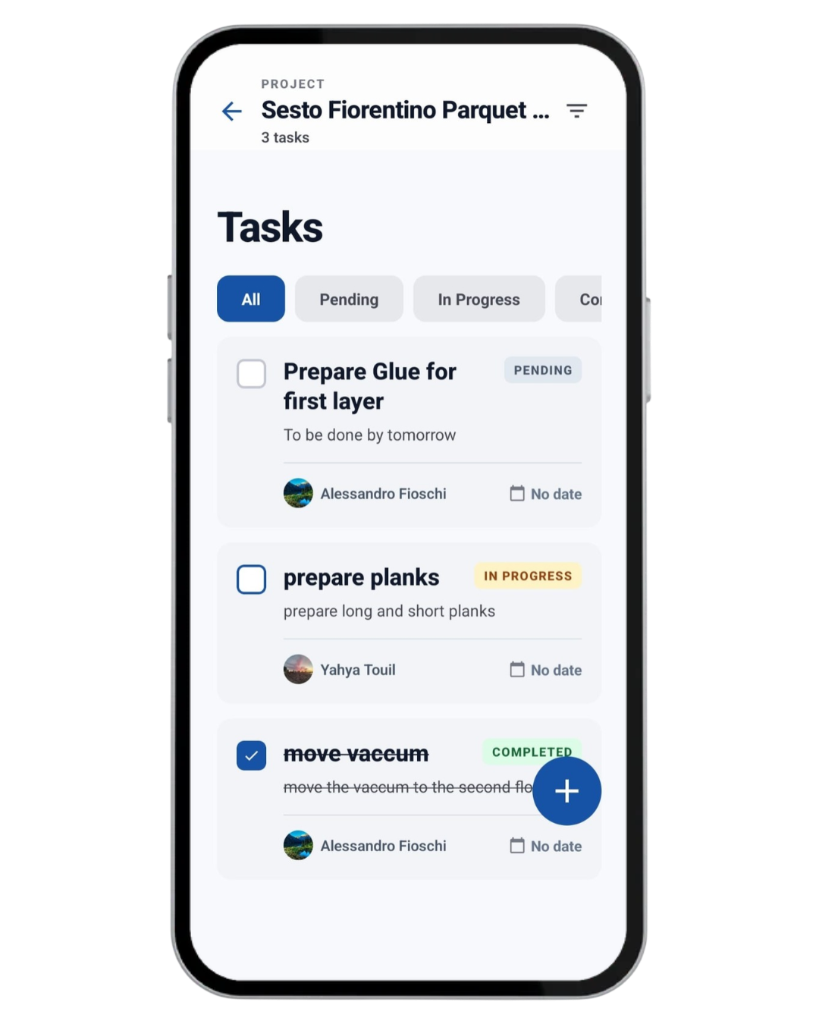
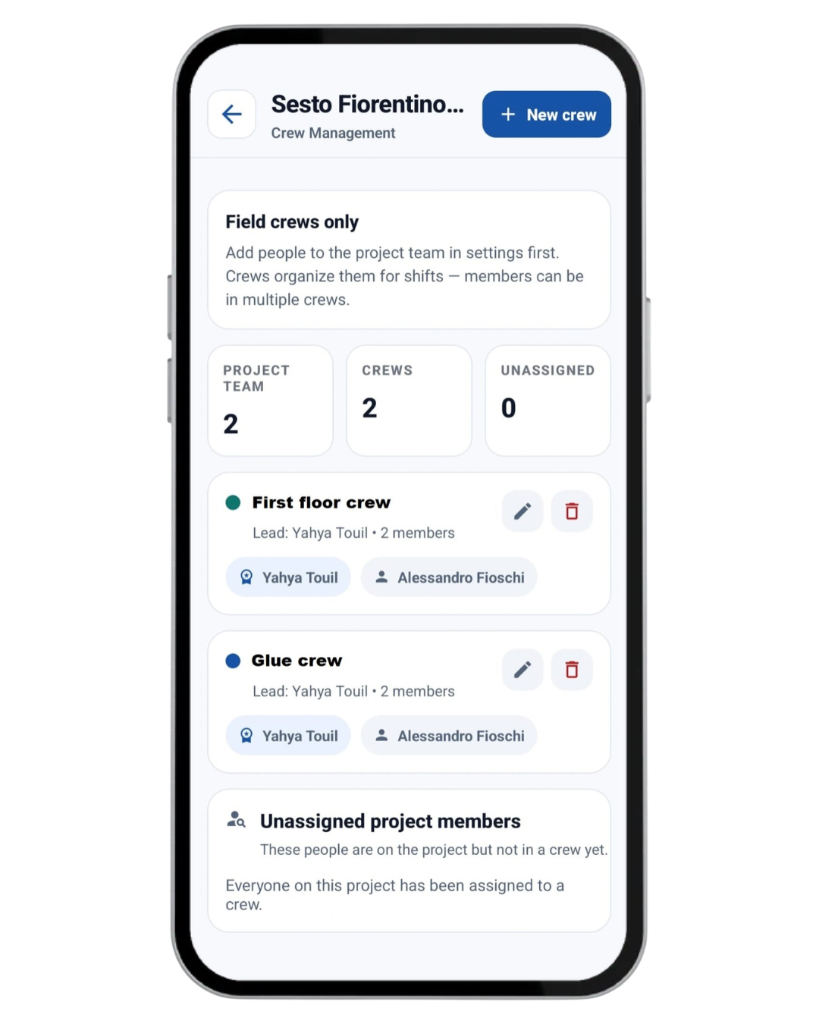
Assign people to the job and designate a project lead so the right crew sees the right record.
Create tasks, assign eligible members, and track Pending, In Progress, or Completed with optional due dates.
Group project members into crews for shifts. A person can belong to more than one crew.
Photo proof is not required to complete a construction project task. Construkt does not provide live worker GPS tracking, payroll, or advanced dispatch. Project tasks · Team and crews
Store renovation drawings, installation instructions, and other supported PDFs or images on the project. Record materials with a name, notes, photos, tags, and quality-check status.
Keep relevant PDFs and images with the job so the crew can open them on site.
Document products and site conditions with photos and notes. This is a job record, not purchasing or inventory.
Construkt does not produce takeoffs, purchase orders, inventory forecasts, or accounting entries. Project documents
Generate a standard project PDF for a selected period. Include relevant photos, timestamps, GPS data, tasks, materials, and daily logs according to the export settings.
Standard project PDF export is included on Free and Solo. Certified PDFs and additional audit features are on eligible higher plans.
The PDF covers the project period and items you select. It is not a dedicated one-day report.
Share documented progress with a customer or keep the file as an internal record of the job.
Construkt PDFs do not replace insurance, compliance, or accounting documents. Construction reporting
The mobile Job Locations map shows projects that have saved GPS coordinates. Search or filter pins and open Google Maps for directions. The map shows job locations, not worker positions or every project photo.
Use the map as a way to reach the next job, not as the main record of the work. Construction jobsite map
Solo is the natural option for owner-operators and small crews who want more room than Free, without Team-only features.
Solo supports up to 15 active projects. Construkt does not offer unlimited jobs on Solo.
Invite a small crew. Seat limits apply; they are not unlimited.
Export a standard project report on Solo. Certified PDFs, audit logs, and approval workflows are not included on Solo.
See current prices, photo limits, and the full comparison on the pricing page. Current prices and plan limits
This is an illustrative example, not a real customer story.
Open a Construkt project for the job and save the client and site details.
Assign the people who should see this job, and set a project lead if you use one.
Capture existing conditions so later photos have something to sit next to.
Create project tasks, assign members, and set optional due dates.
Use the daily log for work completed, issues, hours, and notes.
Leave finish shots on the same project timeline.
Export a standard report for the period with the photos and records you choose.
This example shows how a small renovation crew can use Construkt’s existing features. It is not a case study.
Construkt is general construction documentation software. Independent contractors and small crews use it to keep job records on their phones.
These trades use Construkt’s general tools. There are no dedicated trade modules. See also: Roofing contractors · Flooring contractors
Yes. Construkt is jobsite documentation for independent contractors and small crews. It is not an all-in-one construction business platform.
Yes. The native mobile app is built for jobsite work. You can keep multiple projects, subject to your plan’s active-project limit.
Yes. Photos captured in Construkt are filed to the active job and shown on that project’s timeline.
When location information is available, photos can store GPS coordinates and capture time. You can also add notes and labels.
Yes. Invite company members, assign them to projects, set a project lead, create tasks, and organize field crews. Solo supports up to 5 company members.
Yes. Each project has one daily log per calendar day for work completed, issues, notes, attendance-based labor hours, and optional cost entries.
Yes. Standard project PDF export is available on Free and Solo. Certified PDFs and additional audit features are on eligible higher plans, not on Solo.
Solo supports up to 15 active projects. Construkt does not offer unlimited jobs on Solo. See the pricing page for current limits.
No. Construkt does not create estimates, invoices, payments, or bids.
No. Construkt does not replace accounting, payroll, CRM, or business administration software.
Yes. Owner-operators and small crews can keep jobs, photos, notes, and reports organized from a phone without a dedicated office administrator.
Explore Construkt if you run a handful of jobs and want site photos, notes, and reports in one place — without a complicated business platform.
Download App