Company team
Everyone who belongs to the company, with a company role and company settings.
Keep the company roster, access to each construction project, and field crews in separate places. Assign a project lead and group the people already on a job for planning.
Construkt keeps three kinds of membership apart, so a construction company can organize people without giving everyone access to every job.
Everyone who belongs to the company, with a company role and company settings.
The people who can open and work on one construction job.
Optional groups of project members, organized by trade, shift, or the work they do on site.
A company member is not placed on every project. A field crew does not grant project access, and it does not replace project membership. People keep one account.
The company roster lives in Manage Company, opened from Profile. It is the list of people who belong to the company, not the list of who can open a particular job.
Full control, and access to every company project. Ownership has to be transferred before the owner can leave the company.
Can manage members, invitations, security settings, and projects, and can open every company project.
Field or office staff. A member can open only the projects they are assigned to.
How many people the company can include depends on the subscription plan. When joining requires approval, the request goes through the Workflows and approvals queue. Read how approvals work
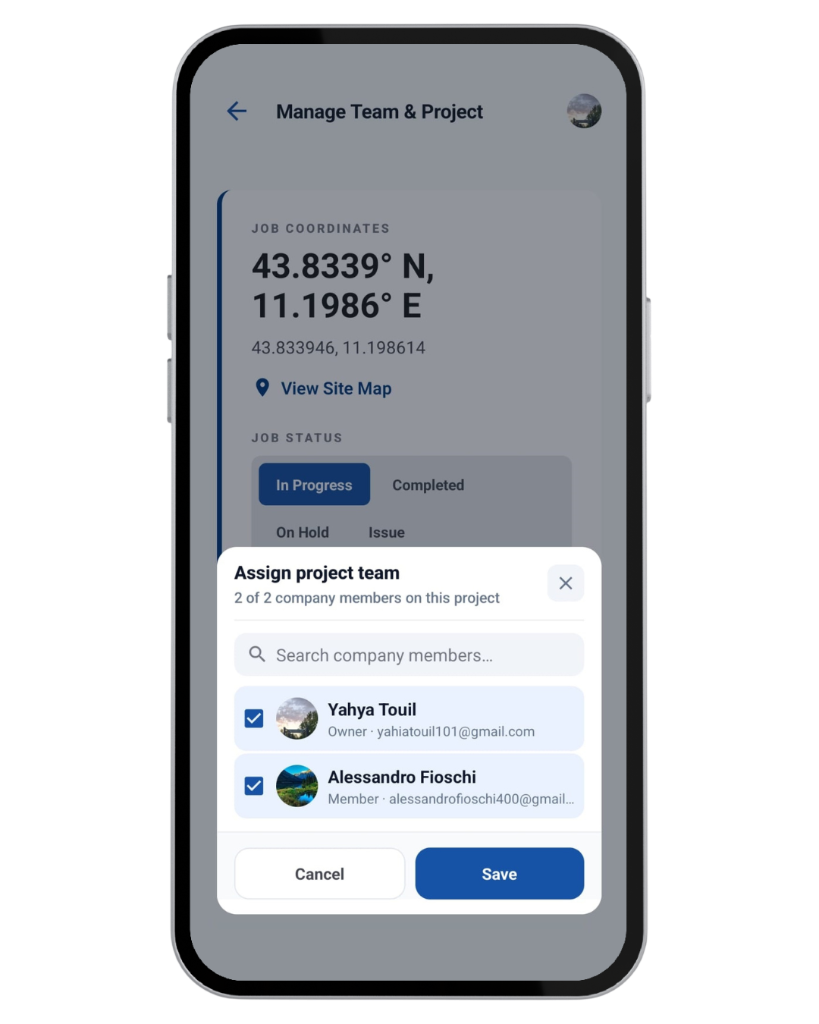
Adding someone to the company does not open every construction job for them. Owners and admins choose the company members for a job in Project Settings, under Team management.
Nobody needs a separate account for each project. Project access is a membership on that job.
Each project can have one project lead. The same person can lead more than one project.
Company role and project lead answer different questions. One is about the company. The other is about who is responsible for a single job.
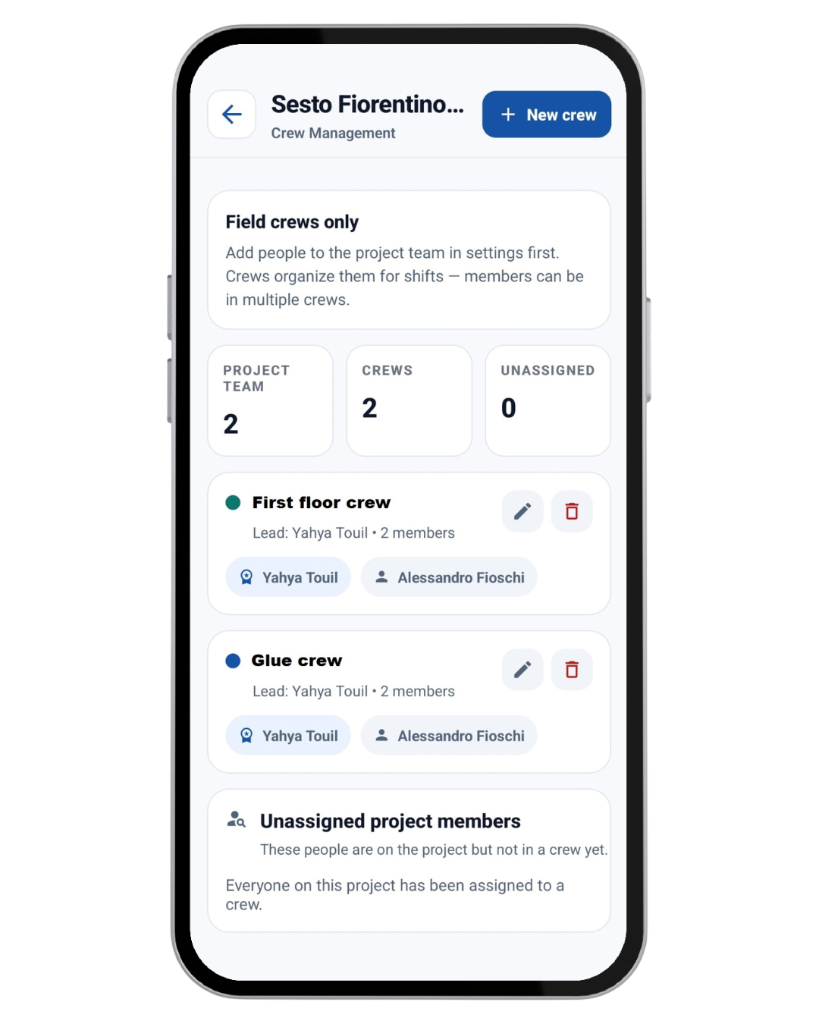
A field crew is an optional group of people who are already on the project team. Crews are managed in Project Settings under Field crews, or on that job’s crew screen.
A crew is not a separate company account, a separate project, or an access group. It only organizes people who can already open the job.
Planning can use a field crew when you create a calendar event. Eligible members of that crew are brought into the event’s assignees in one step.
Decides who can open the job.
Groups those people for the way the site runs.
Names who is on a particular planned activity.
Construkt does not optimize shifts, resolve schedule conflicts, track workers by GPS, or connect crew assignments to payroll.
Who is on the project decides who can take part in the work recorded on that job.
Project tasks are assigned to members of that project.
Project access decides who can open the job’s site photos and activity.
Schedule project members, or bring an eligible crew into an event in one step.
Those records stay inside the same project permissions.
A maintenance job can use company members as technicians. Field crews stay tied to a construction project.
These are examples of the workflow, not stories about a particular customer.
A contractor keeps the full company roster, and each member only opens the jobs they work on.
A site manager names a project lead and keeps an electrical crew and a concrete crew apart.
A foreman adds a crew to a planned activity instead of picking every eligible person one by one.
An owner requires approval before someone joining by code becomes part of the company.
The tools are for construction businesses that need a company roster, controlled access to each job, and crews for the way the site is organized.
It is software for organizing the people in a construction company: who belongs to the company, who can open each project, who leads a job, and how field crews are grouped. In Construkt those are separate lists.
A company member belongs to the company. A project team member is a company member who has been given access to one construction job. Being in the company does not put someone on every project.
Owners and admins can. A member can open only the projects where they are on the project team.
An owner or admin opens Project Settings, then Team management, and selects existing company members. People can be chosen in bulk and found by name or email. Saving updates the project team to match that selection.
A project lead is the person accountable for one job, such as a foreman or site supervisor. A company admin manages company members, invitations, security, and projects, and can open every company project. Naming a lead does not make that person an admin.
Field crews are optional groups of people who are already on a project team, organized by trade, shift, or another site responsibility. A crew does not grant access to the project.
Yes. A project member can be on more than one crew on that job.
Yes. When you create a calendar event, Planning can take a field crew and add the eligible members of that crew as assignees in one step. That assigns them to the activity. It does not change who can open the project.
Yes. An owner or admin can turn off joining by code, or require approval for join requests. Requests that need approval go through the Workflows and approvals queue.
No. Access to a job’s documents, photos, and other records follows project membership and company role. A field crew only groups people who already have that access.
Organize the company roster, project access, and field crews in Construkt, without mixing the three together.
Download App