Stop losing
proof of work
on every job.
Construkt organizes your job-site photos, tasks, and daily logs by project — automatically. No more digging through WhatsApp or your camera roll at 10pm.

Your work is real.
Your records shouldn't be a mess.
Most contractors are managing jobs on three apps they never meant to use for this. When something goes wrong, there's no clean record.
2,000 photos on your phone. Half from last year. When a client disputes work, you're scrolling for 20 minutes looking for the right one.
Messages get buried. Files expire. There's no searchable history, no accountability. You can't send a WhatsApp thread to a client as documentation.
Nobody updates a spreadsheet in the rain with dirty hands. So it never gets done — until it becomes a big catch-up session on Friday evening.
One app.
Everything stays
where it belongs.
Construkt is designed for the field — fast, simple, and offline-friendly. Open it, take a photo, and it handles the rest.
- Every photo is timestamped and GPS-tagged the moment you take it
- Jobs are automatically separated — no folders, no sorting needed
- Your team sees the same job — no duplicate photos, no missed updates
- Export a clean PDF report in one tap — ready to send to a client
- Works on site without signal — syncs when you're back online
Every feature built for the field.
Not a "platform." Tools that do exactly what you need, as fast as possible.
Open the app, point, shoot. Construkt tags the photo with the time, GPS location, and attaches it to the right job. No steps to skip, no fields to fill in.
Photo LoggingEvery photo, task update, and note on one chronological timeline per job. Jump to any day and see exactly what was done — and by who.
Project TimelineCreate tasks, assign them to team members, mark them complete from the field. No emails, no calls asking "is that done yet?" — you can see it in the app.
Task TrackingHit "Export PDF" and Construkt builds a clean report with photos, timestamps, team activity, and notes. Ready to send to a client in 10 seconds.
PDF ReportsSee Construkt in Action
Take a quick look at how Construkt helps construction teams keep projects, photos, drawings, tasks and reports organized in one place.
Three steps. That's it.
If you can use a phone, you can use Construkt. We designed it for people who don't want to read a manual.
Give it a name and an address. That's the setup. Takes 20 seconds. Add team members and a client — or do it later.
Take photos, add quick notes, close tasks — all from the app while you're on site. Every entry is automatically stamped with time and location.
When a client asks for an update — or a job is done — tap "Export Report." Construkt generates a PDF with everything and you send it in seconds.
Built for dirty hands
and tight schedules.
Large buttons. Clear layout. No settings you'll never use.
Every photo,
where it belongs.
GPS-tagged and timestamped the moment you take it. No sorting, no searching — every shot is automatically filed to the right job and the right day.
- GPS coordinates on every photo
- Organized chronologically by day
- Searchable by note or date

Manage your crew.
Keep clients in the loop.
Invite team members, assign roles, and store client contact details right on the job — no separate spreadsheets or group chats.
- Invite crew and assign Owner or Member roles
- Search team members by name or email
- Client name, address, and phone on every job

Assign tasks.
Know what's done.
Create tasks on site, assign them to your crew, and track progress in real time. No calls, no guessing — the status is right there in the app.
- Pending, In Progress, Completed filters
- Assign to specific team members
- Mark complete from the field

Every job site,
mapped.
See all your active job locations at a glance. Tap any pin to open the job dashboard and jump straight into work — directions and client contact built in.
- Live map of all active job sites
- One tap to open any job dashboard
- Directions and client contact built in

Plan shifts.
Keep everyone aligned.
Schedule crew by day or week, filter by project, and see who's on site at a glance. Add shifts in seconds — no spreadsheets, no group chats.
- Day and week views for every job
- Filter by project, crew, or date
- Shift status — planned, active, done

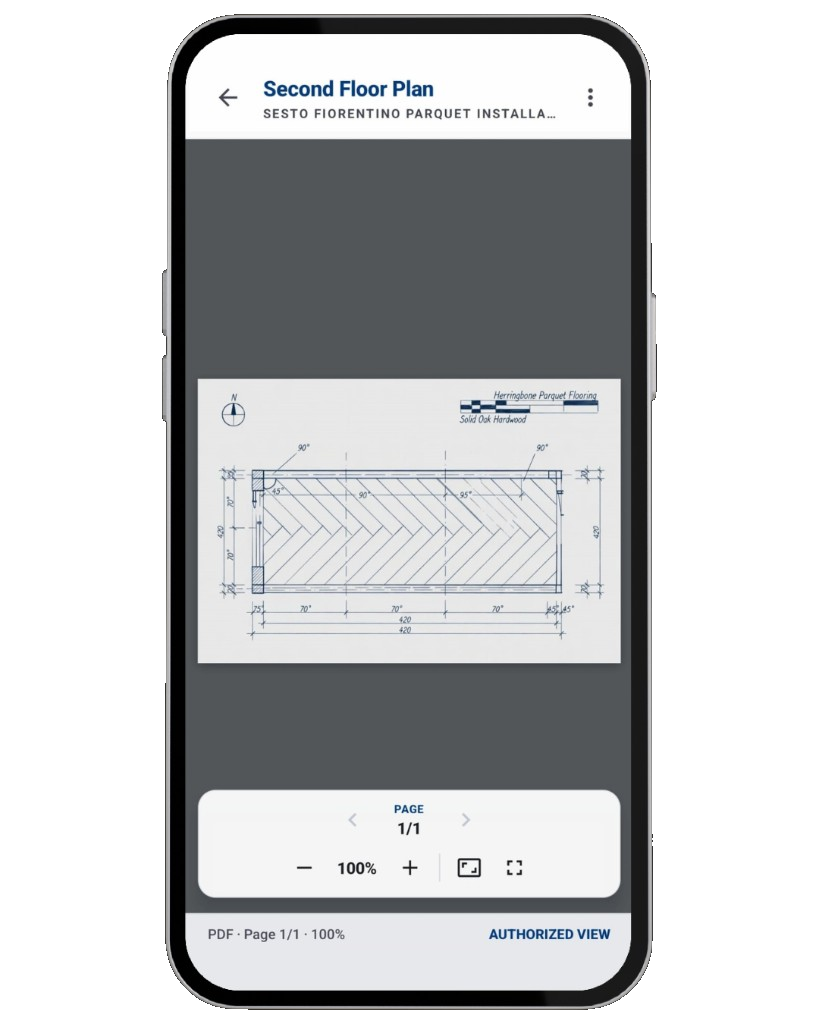
Floor plans
in your pocket.
Open PDFs and drawings right on site — zoom, pan, and flip between pages without leaving the job. The blueprint is always attached to the right project.
- View PDFs and technical drawings in-app
- Zoom and page controls built in
- Linked to each job — no email attachments
From build to maintain,
same app.
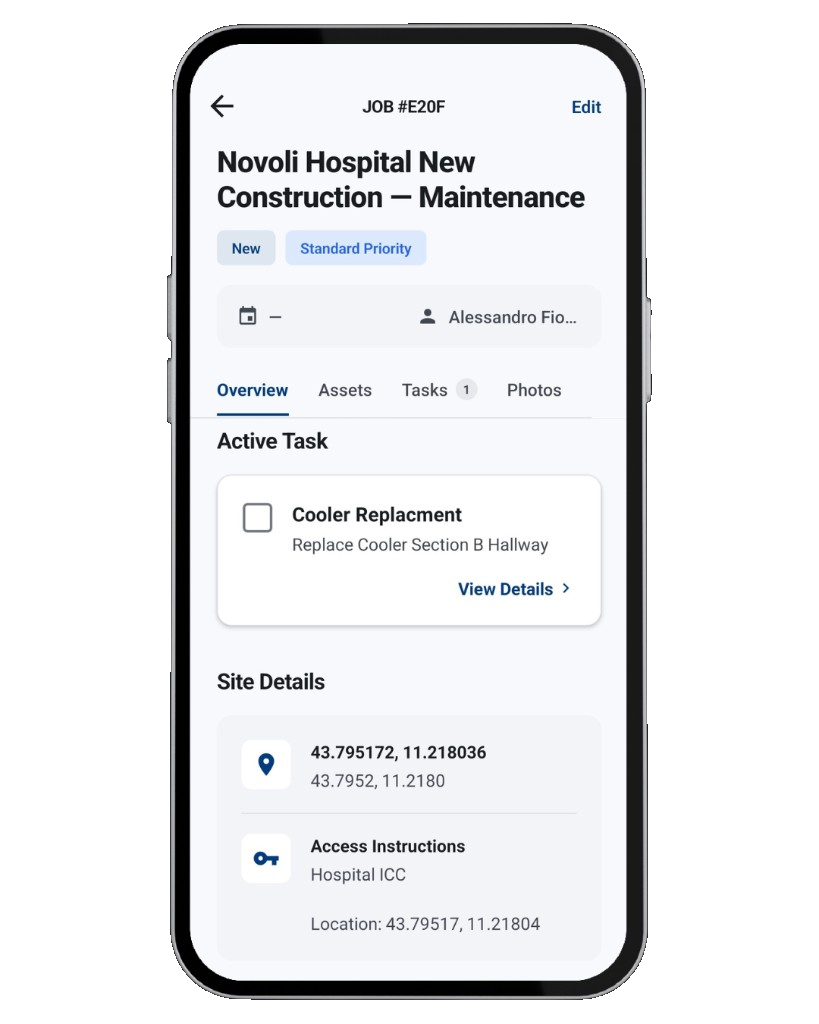
Schedule service, track assets, assign tasks, and prove every visit — without switching tools.
Service work, organized by site.
Create maintenance jobs with priority, technician, due dates, and GPS — then track status from new to completed.
- Recurring schedules for inspections and PM
- Access notes and site details on every job
- Convert completed builds into maintenance
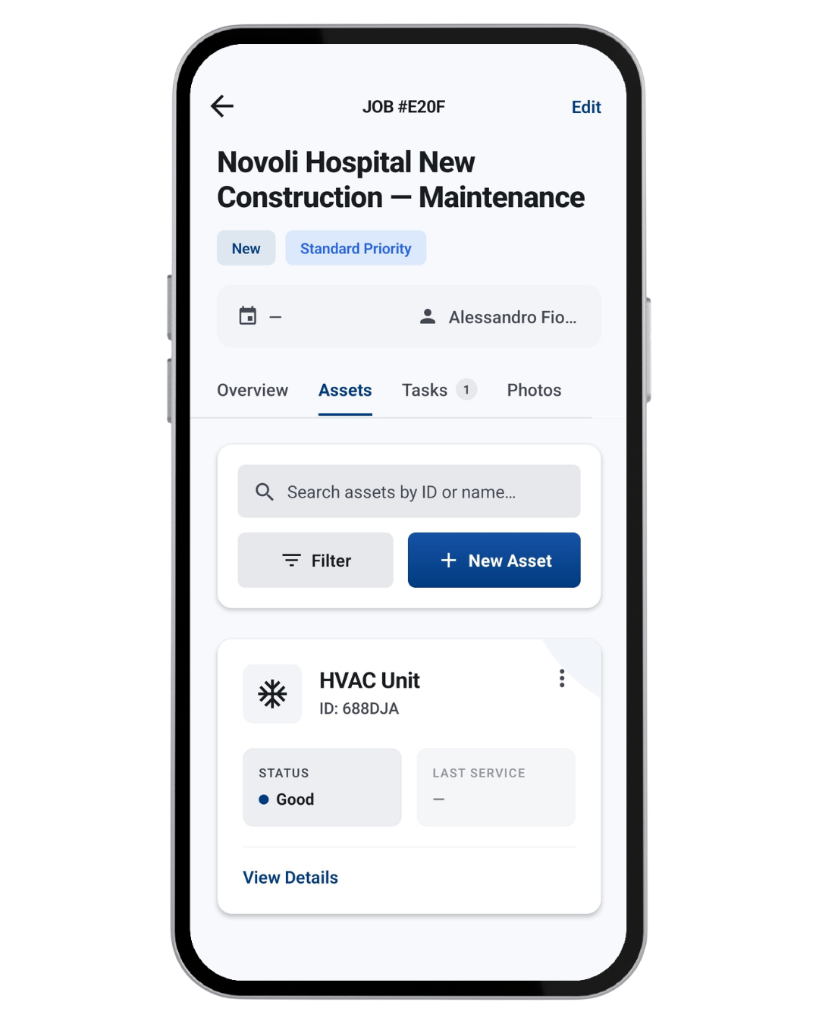
Know what needs attention.
Register HVAC, electrical, plumbing, and structural equipment — with condition, specs, and service history.
- Condition: Good · Needs attention · Critical
- Search and filter assets by ID or name
- Service history logged automatically
Assign work. Prove it was done.
Break jobs into tasks with location, assignee, and photo documentation before completion.
- Photo proof on field tasks
- Floor/area and technician assignment
- Progress from pending to done

Document every job.
Export proof.
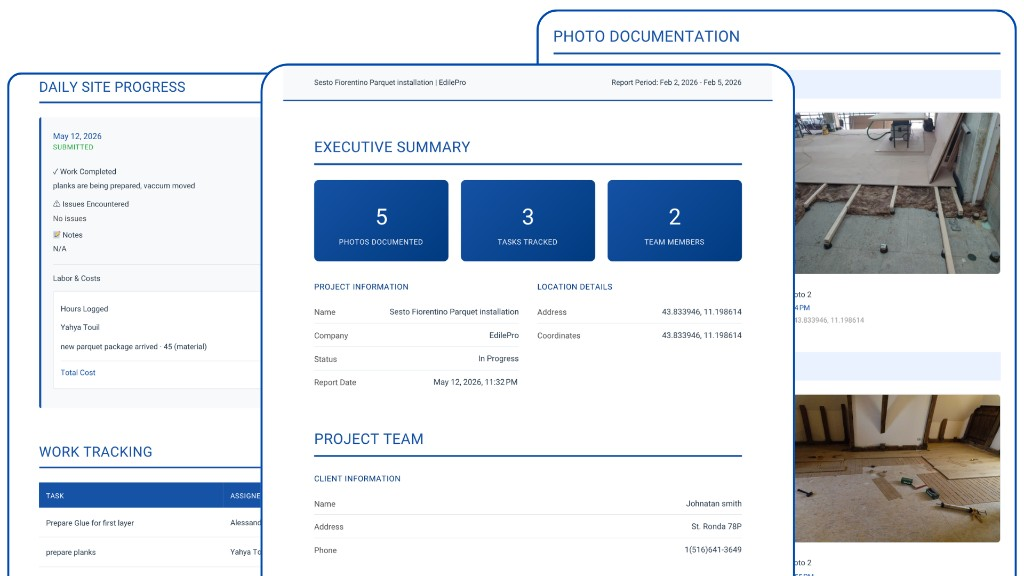
Turn photos, tasks, daily logs, and client details into a shareable PDF — in seconds.
Client-ready reports, one tap.
Pick a job, choose what to include, set language and photo quality — then share via email, Drive, or WhatsApp.
- Photos, tasks, materials, and daily logs
- GPS, timestamps, and client details
- PDF language in 7 languages
Your next job
starts organized.
Free to download. Start logging your first job in under a minute.